![Logo-1.png]](https://support.seamlesshr.com/hs-fs/hubfs/Logo-1.png?height=25&name=Logo-1.png)
This release introduces a full visual and experience facelift of the Promotion module.It has been redesigned with a cleaner, more modern interface that simplifies navigation, improves workflow efficiency, and surfaces the most important information at a glance. Admins, Supervisors, and HODs will notice a more intuitive layout, better filtering, and a smoother promotion process from start to finish.
Promotion Module Facelift
What's New: The Promotion module has been redesigned with a cleaner, more modern look and improved user experience. Here is a breakdown of what has changed:-
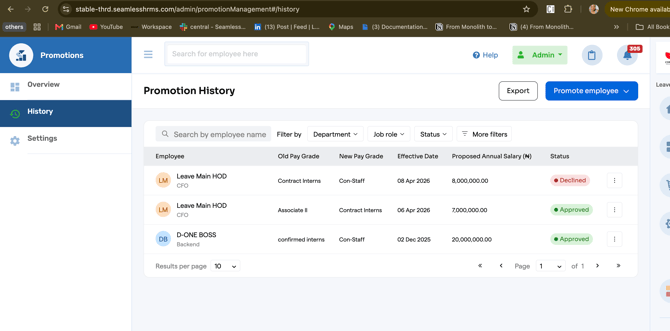
- Simplified navigation menu: The sidebar has been streamlined from four items (Dashboard, Promotion History/Requests, Promote Employees In Bulk, Promotion Settings) to three (Overview, History, Settings). Bulk promotion is now integrated into the History section rather than being a separate menu item.
- Redesigned Overview page: The old dashboard has been replaced with a cleaner Overview page that shows key metrics as summary cards at a glance: Total Promotions, Pending Requests, and Due this Month. A "Promotions by department" chart with a year filter and a Pending Requests panel are also included. There is a clear "Promote employees" call-to-action button at the top right for easy access.
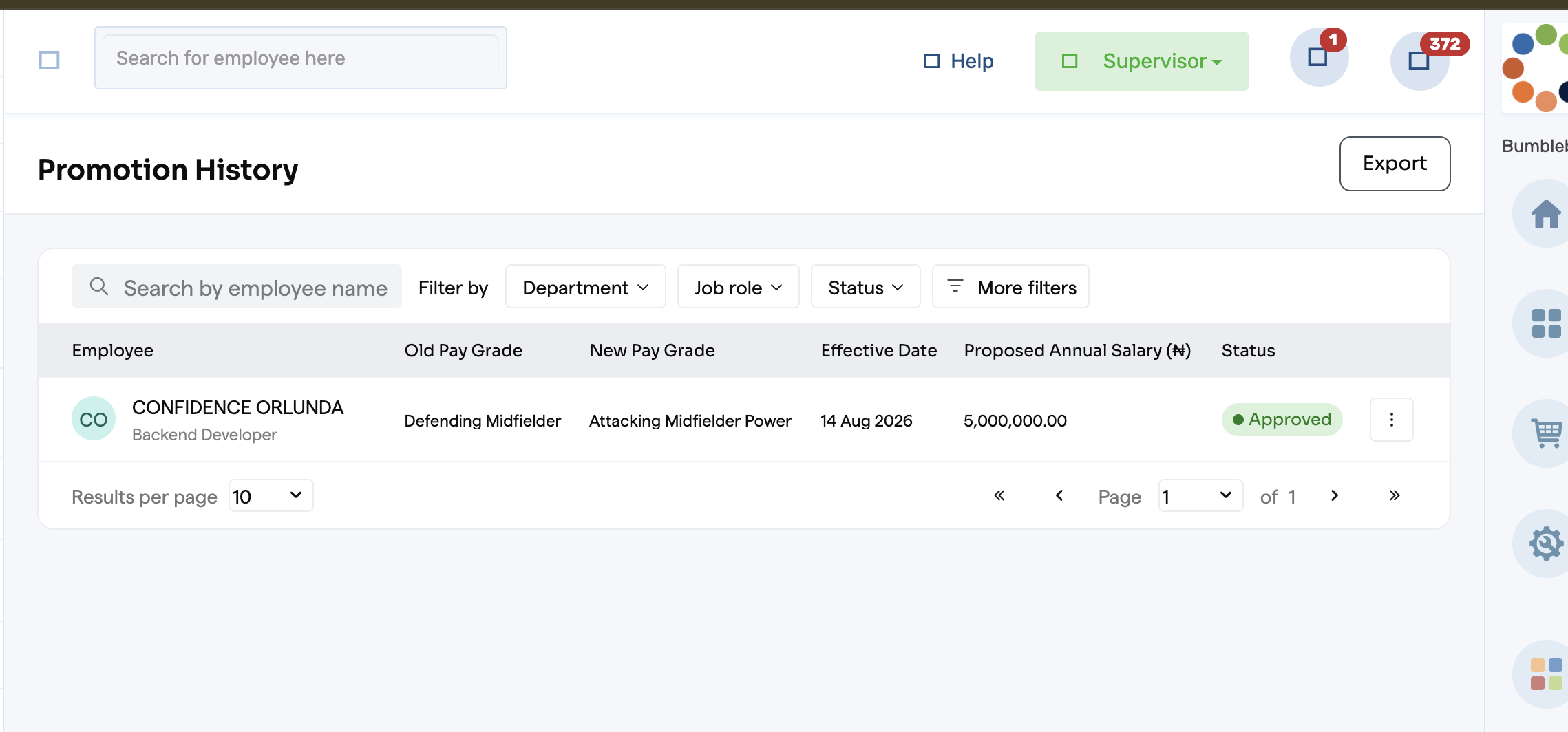
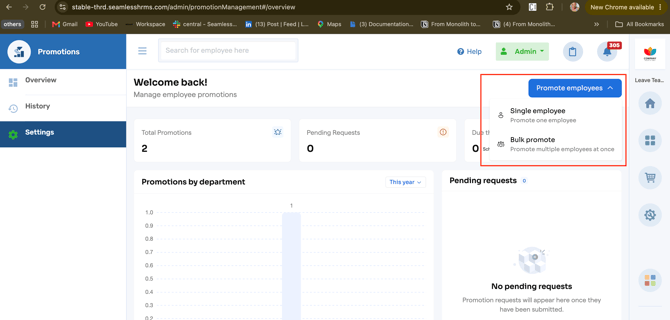
- Improved Promotion History page: The history table now has a search bar, filter options (Department, Job Role, Status, and More filters), and a unified "Promote employee" dropdown that lets admins choose between Single employee or Bulk promote from one place, no more separate tabs. Status badges are now color-coded pills (green for Approved, red for Declined). Results per page and pagination have also been improved.
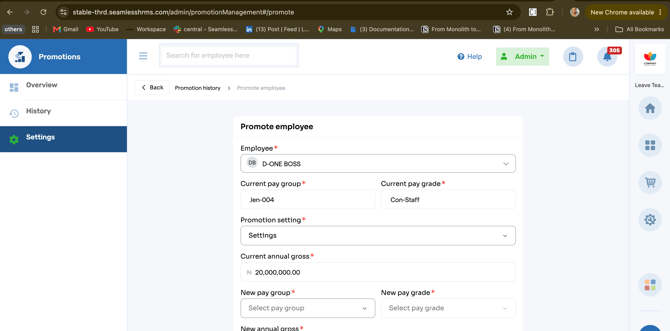
- Cleaner Promote Employee flow: Instead of a cluttered modal, promoting an employee now opens a full page with breadcrumb navigation (Back → Promotion history → Promote employee). Fields are better organized, labels are clearer, and the "Notify employee?" section now includes a clear explanation of what happens when it is checked. The letter template dropdown has also been improved.
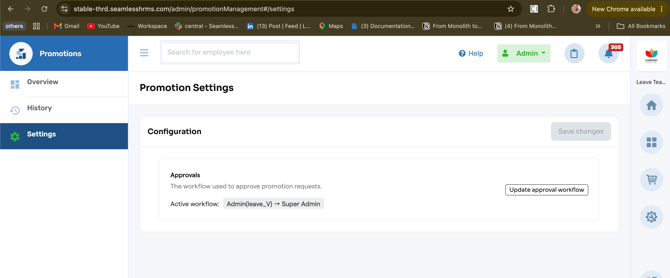
- Enhanced Settings page: The Settings page has been restructured with a clear "Configuration" section that includes a description of what the Approvals setting does ("The workflow used to approve promotion requests"). The active workflow is now displayed as a visual chain (e.g., Admin → Super Admin), and there are separate buttons for "Update approval workflow" and "Save changes."
- Supervisor and HOD view: Supervisors and HODs now get a cleaner Promotion History view with the same filtering and search capabilities as Admins. They can view and export promotion history, giving them better visibility into their team's promotion activity.
Why It Matters: The Promotion module had become cluttered, with too many clicks, crowded forms, and limited visibility for Supervisors and HODs. This facelift simplifies navigation, improves visibility, reduces clicks, and delivers a cleaner, more intuitive experience for everyone.
Available To: All Admins, Supervisors, and HODs using the Promotion module
Important Notes:
- All existing promotion data, history, and settings are preserved. The facelift is purely a visual and experience upgrade, no data has been lost or changed
- Bulk promotion is still fully supported. It is now accessed through the "Promote employee" dropdown on the History page instead of a separate menu item
- All existing approval workflows continue to work exactly as they did before
- Supervisors and HODs now have a dedicated view of Promotion History for their team, with the same filtering and export capabilities as Admins.
Admin View
1. Go to Settings and select Promote employee.
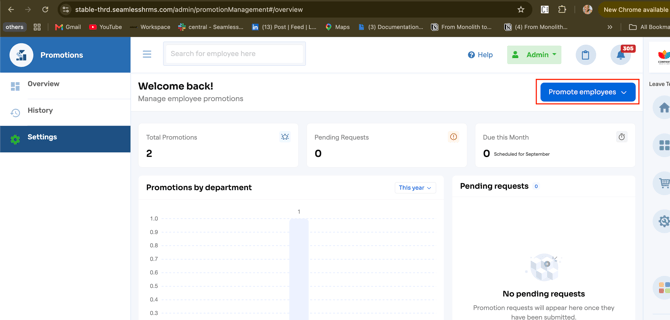
2. You can promote employees individually or in bulk.
3. Enter the new promotion details for the employee.
4. Select History to view promotion history.
5. The approval workflow is available in Promotion Settings.
Supervisor/HOD View