![Logo-1.png]](https://support.seamlesshr.com/hs-fs/hubfs/Logo-1.png?height=25&name=Logo-1.png)
1. Launch the Performance Module.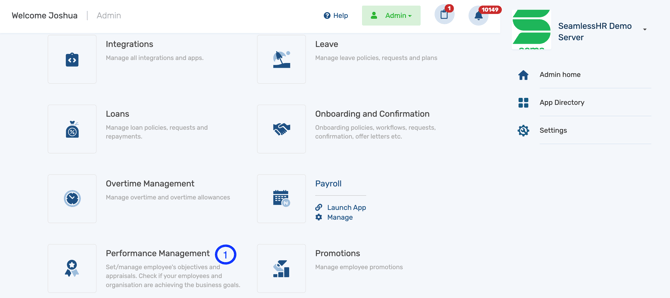
2. Select the appraisal you want to update the deadline.
3. Click on the actions
4. Click on update deadline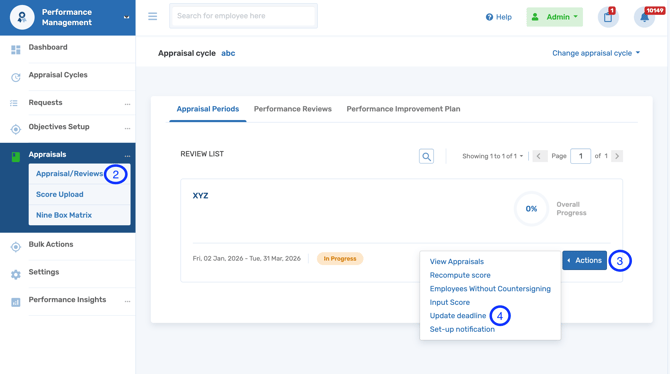
5. Update the deadline end dates for the various roles as preferred and click save.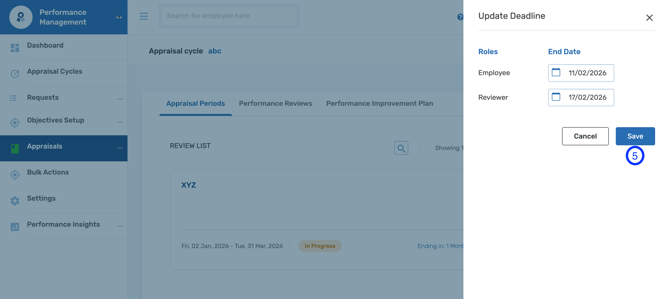
Please note that the deadline end date cannot exceed the end date of the appraisal period.