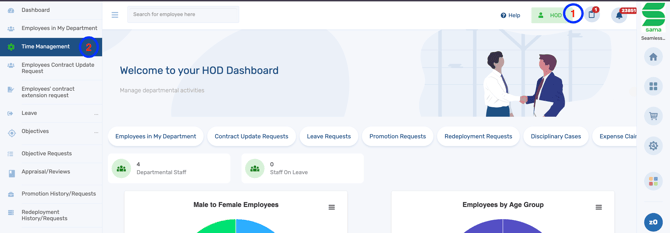
How to review task sheet as an HOD Here is a step by Step guide on how to review task sheet as an HOD Log in to the system and switch to the HOD Dashboard. Click on Time Management. Select Task Management. Click on Task sheet. Locate the yet to reviewed task and Click the review button.

![Logo-1.png]](https://support.seamlesshr.com/hs-fs/hubfs/Logo-1.png?height=25&name=Logo-1.png)