![Logo-1.png]](https://support.seamlesshr.com/hs-fs/hubfs/Logo-1.png?height=25&name=Logo-1.png)
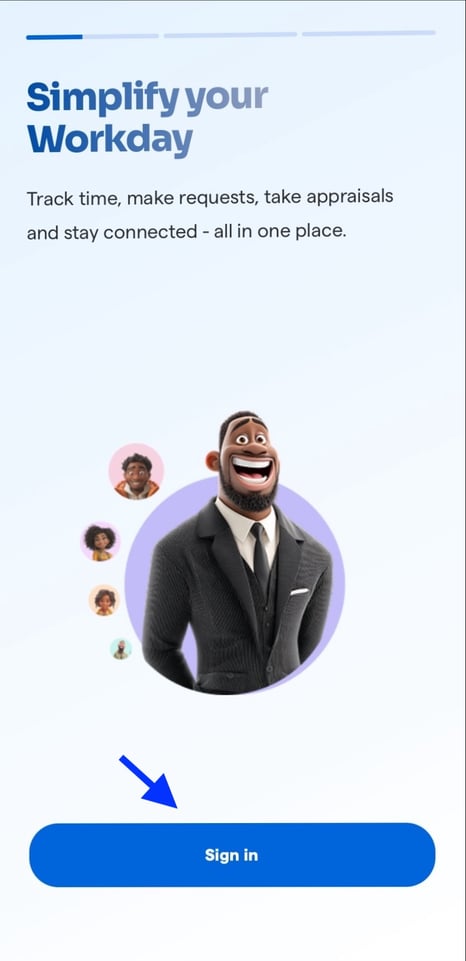
- Sign in to the Breeze app using your phone number or email address
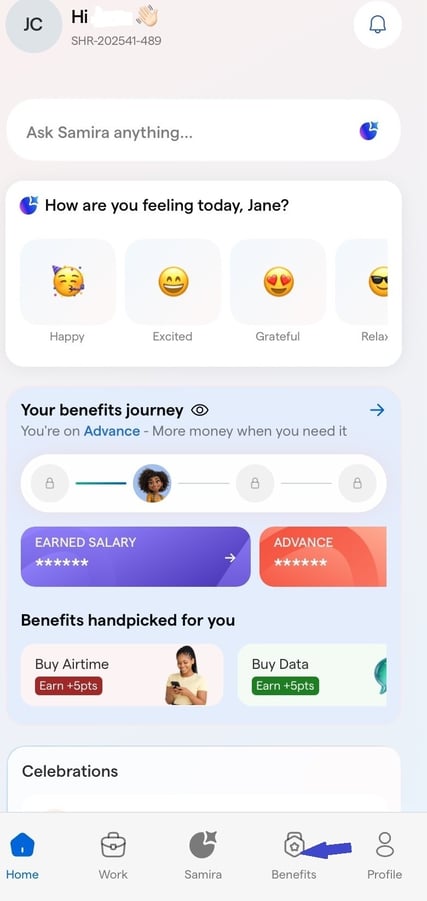
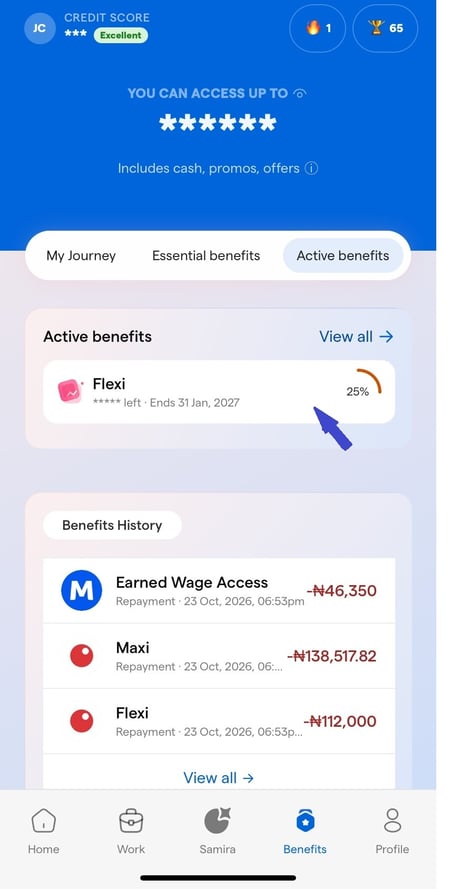
2. Click on Benefits on your dashboard.
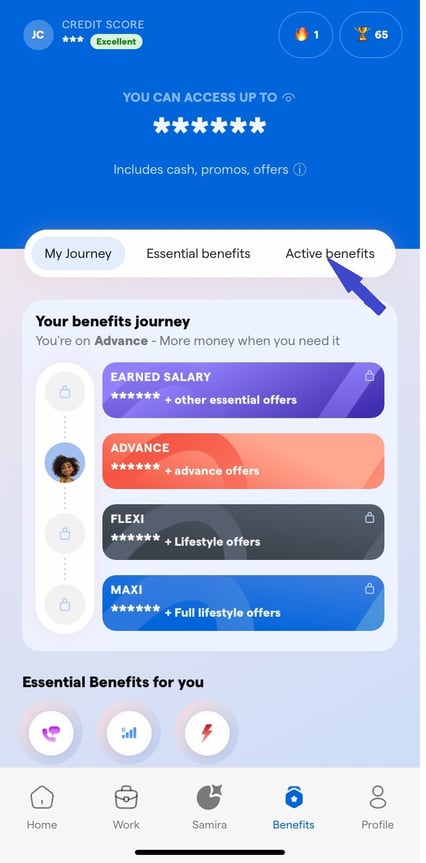
3. Click on "Active Benefits" to view all active employee benefits available to you.
4. Click on the benefit you want to liquidate to view its details.
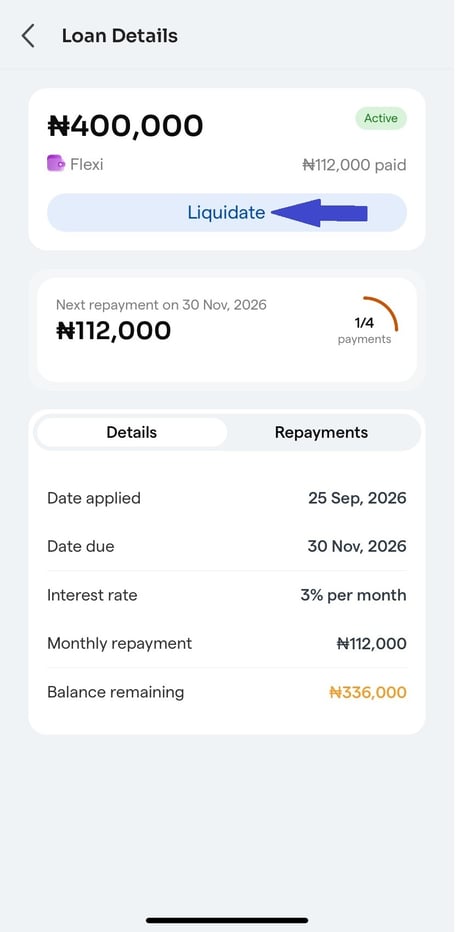
5. Once the details are displayed, click the "Liquidate" button to proceed with the liquidation.
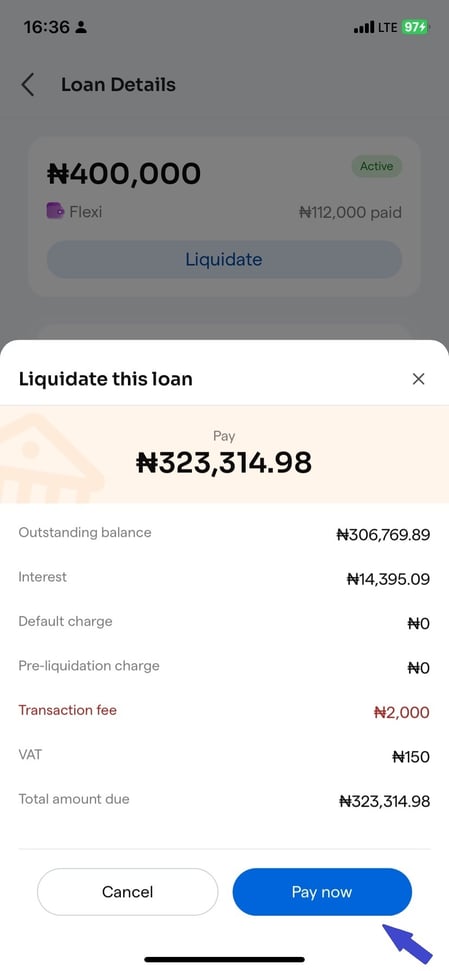
6. Confirm the liquidation amount and charges, then select “Pay Now” to proceed with payment.
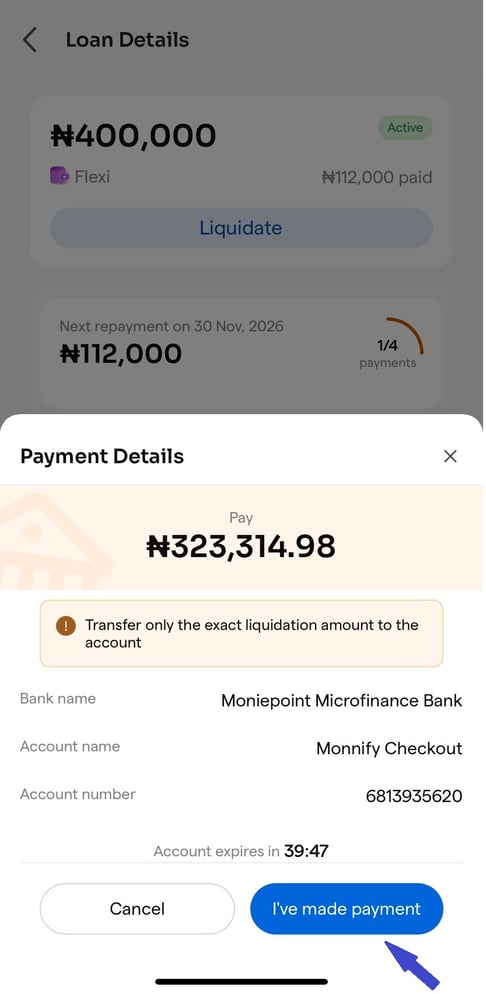
7. After completing your payment, select “I've made payment” to confirm the transaction and continue.