![Logo-1.png]](https://support.seamlesshr.com/hs-fs/hubfs/Logo-1.png?height=25&name=Logo-1.png)
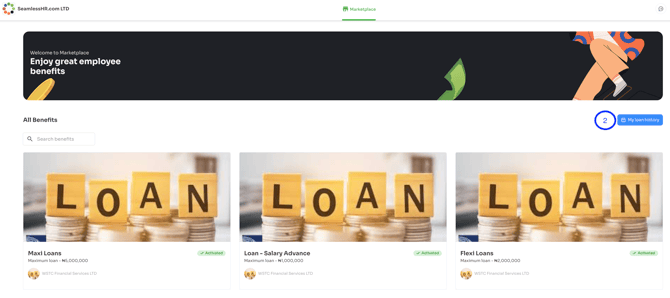
- Click on Employee Benefits on your ESS
- Click on my loan history on the top right to view all loans that have been accessed.
- Click the view button on an active loan to view details of the loan.
.png?width=670&height=164&name=image%20(19).png)
- When you see the details of the loan, click on the 'I want to liquidate my loan' button on the top right of the loan details screen to initiate a loan liquidation process.
%20(1).png?width=670&height=235&name=image%20(20)%20(1).png)
- The system displays the total amount to be paid, including transaction processing fee. select the 'pay to a bank account' option and click the continue button.
.png?width=670&height=354&name=image%20(21).png)
- The system will generate an account number that payment is to be made into. Kindly make a bank transfer of the amount displayed. Once the transfer has been successfully done, please click the 'I have made the payment' button for the system to confirm the status of the transaction.
.png?width=670&height=355&name=image%20(22).png)
- Once the transaction is confirmed, the following will happen:
Loan is completed and the status is updated to liquidated
An email confirming the liquidation will be sent to the user.