How to Report a Grievance on the Breeze Mobile App
This guide explains how you can report a workplace grievance as an employee, using the Breeze Mobile App, enabling you to raise concerns through the designated grievance reporting process.
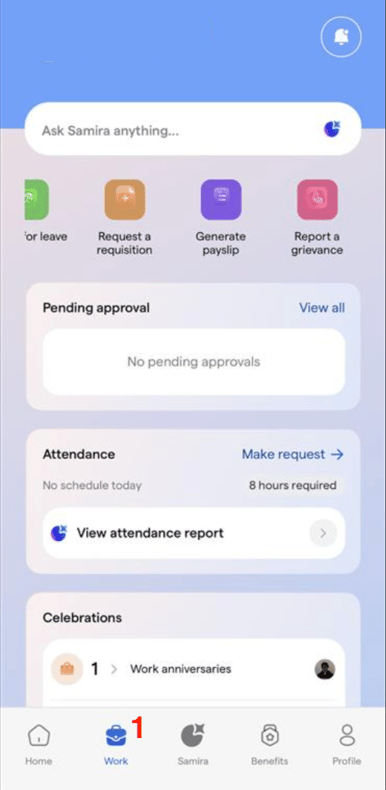
Log in to the Breeze mobile app, then select Work.
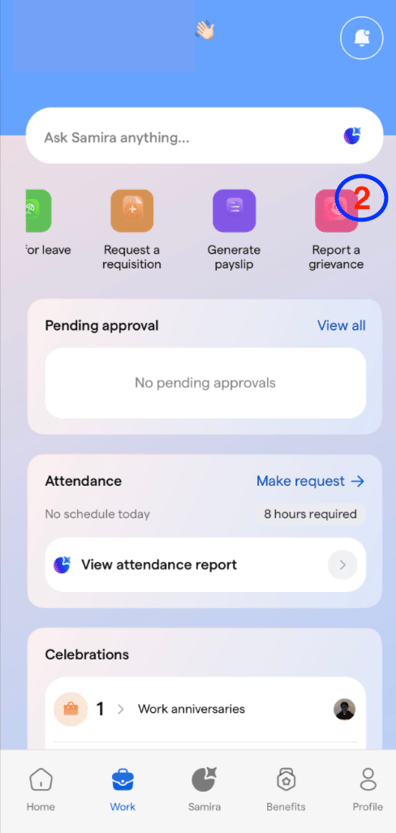
Select Report a grievance
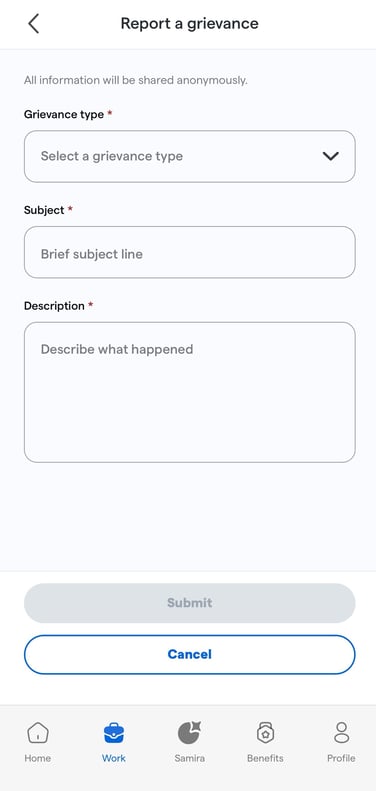
Enter the details of your grievance, then submit the form.
![Logo-1.png]](https://support.seamlesshr.com/hs-fs/hubfs/Logo-1.png?height=25&name=Logo-1.png)