1. From your ESS, click on 'Work' on the left hand panel.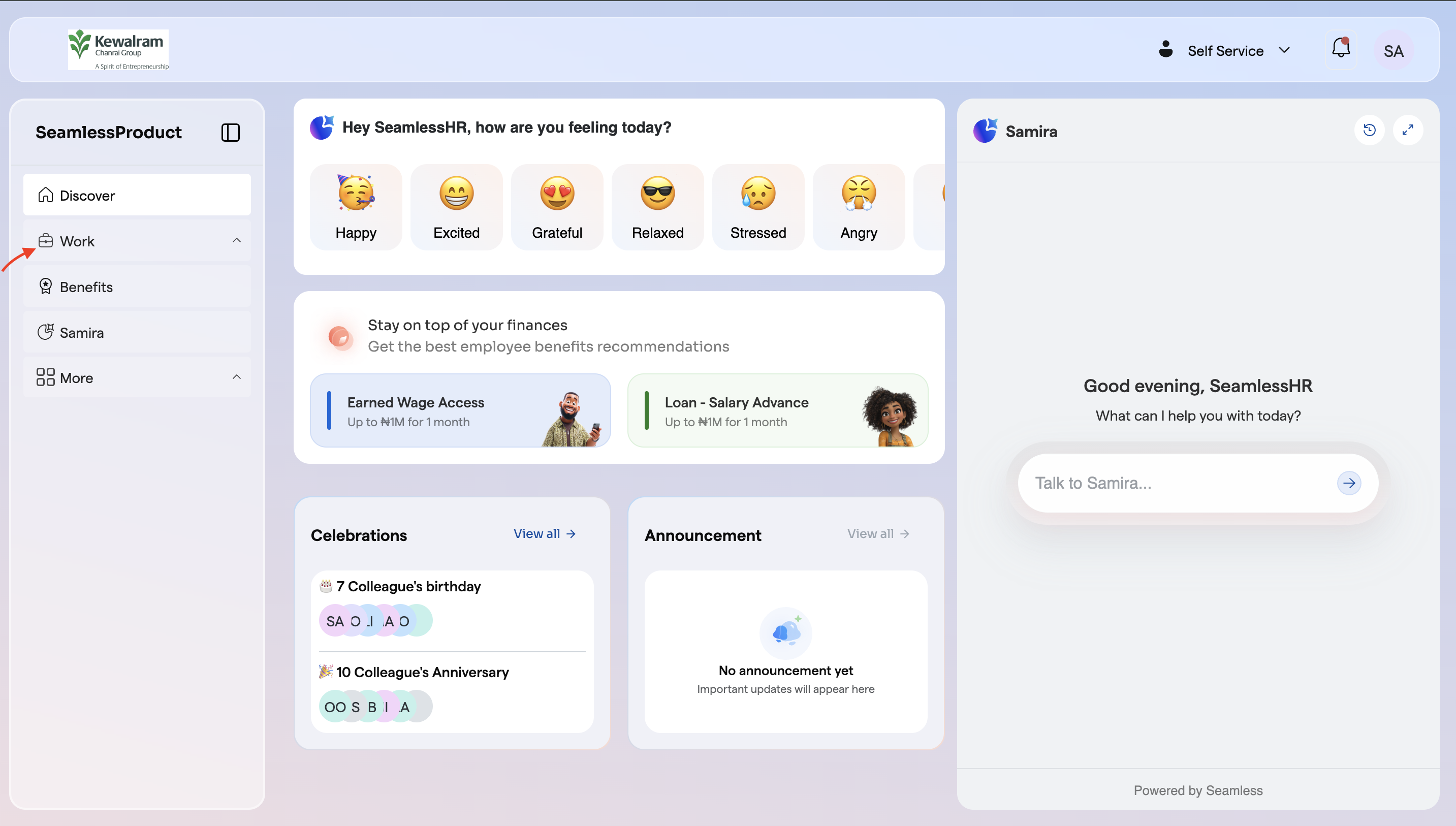
2. Then navigate to and click on 'Redeployment'.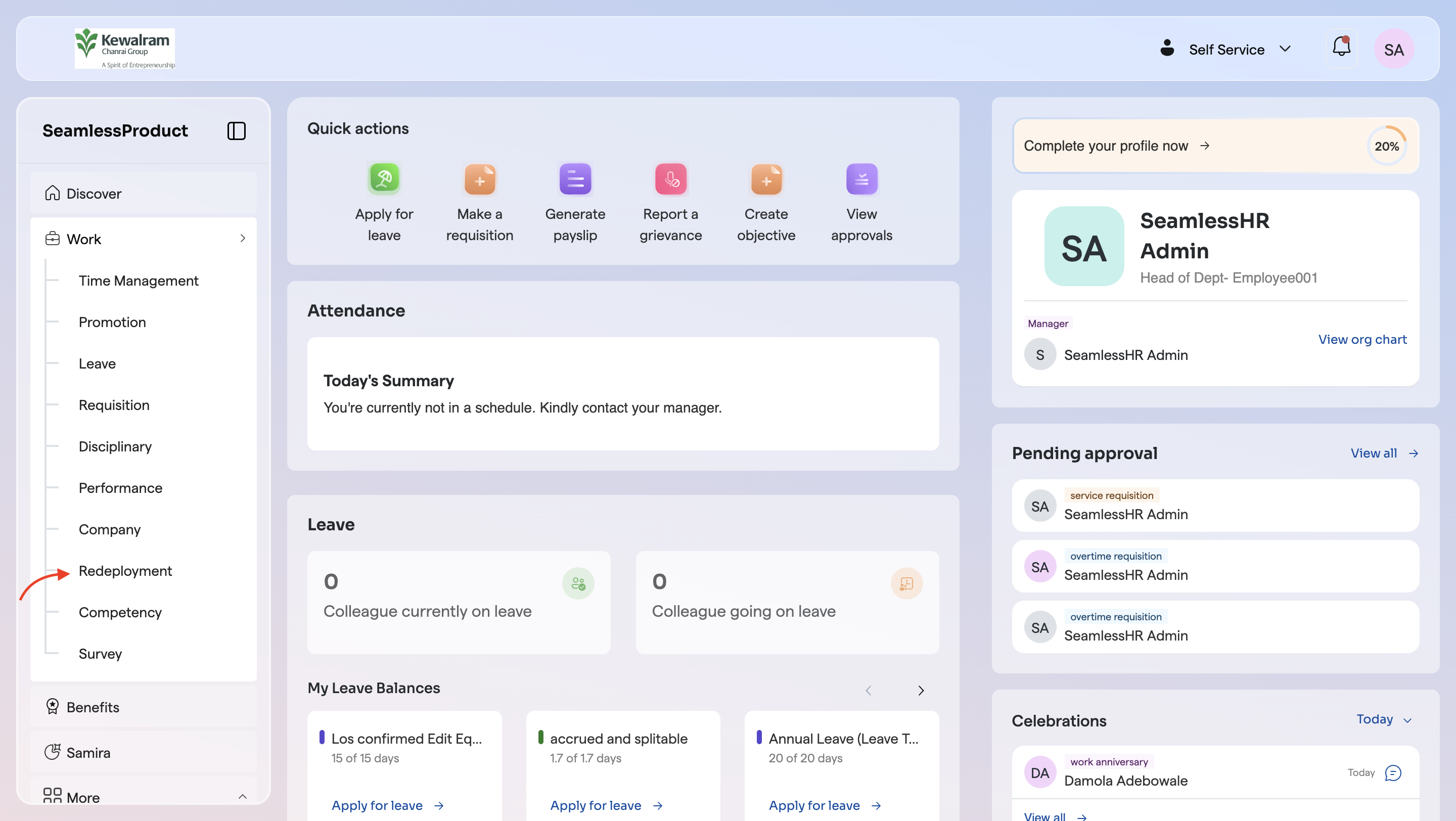
3. Then navigate to the Redeployment request you want to view it's detail and click on the 'three dot'.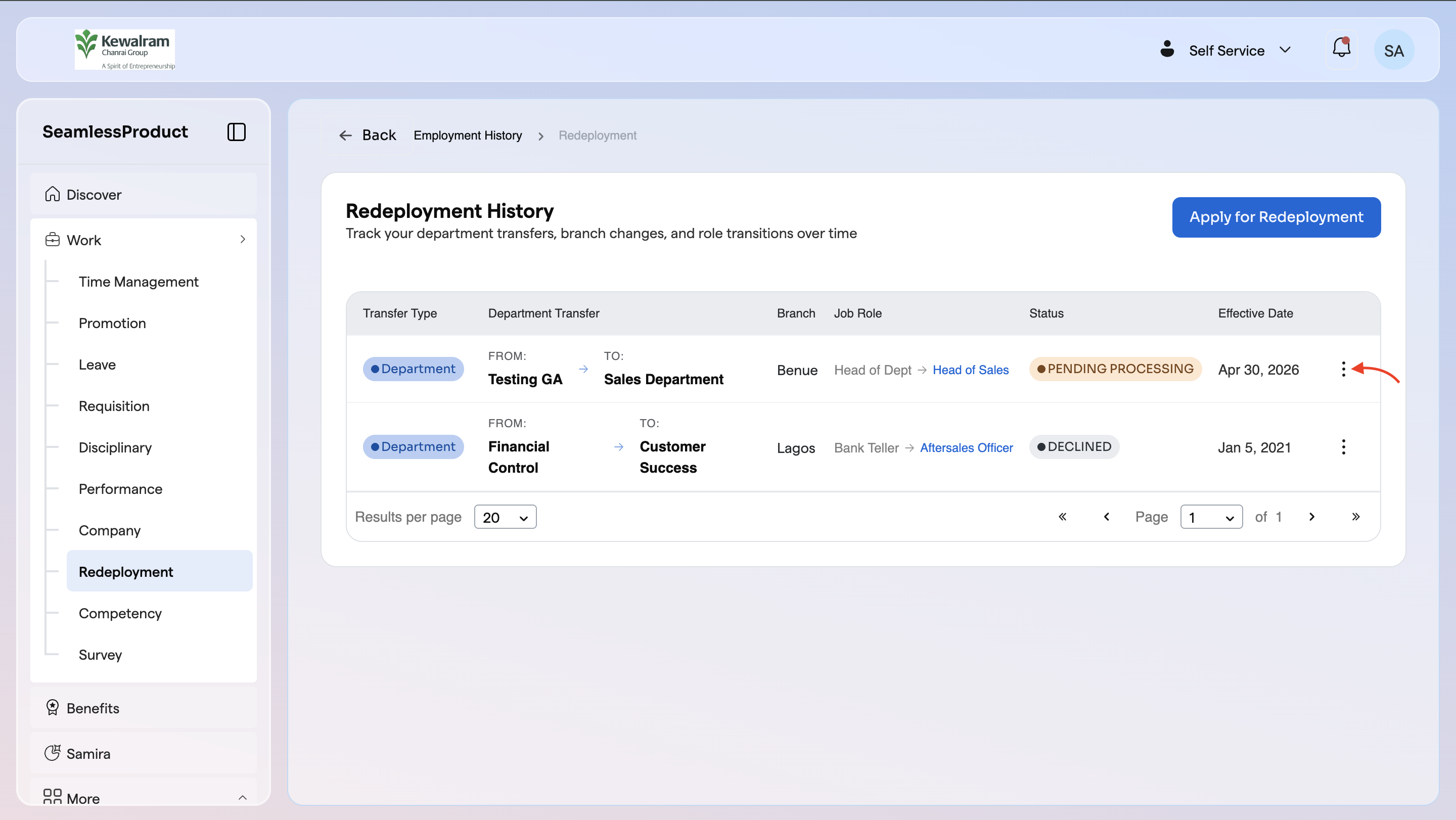
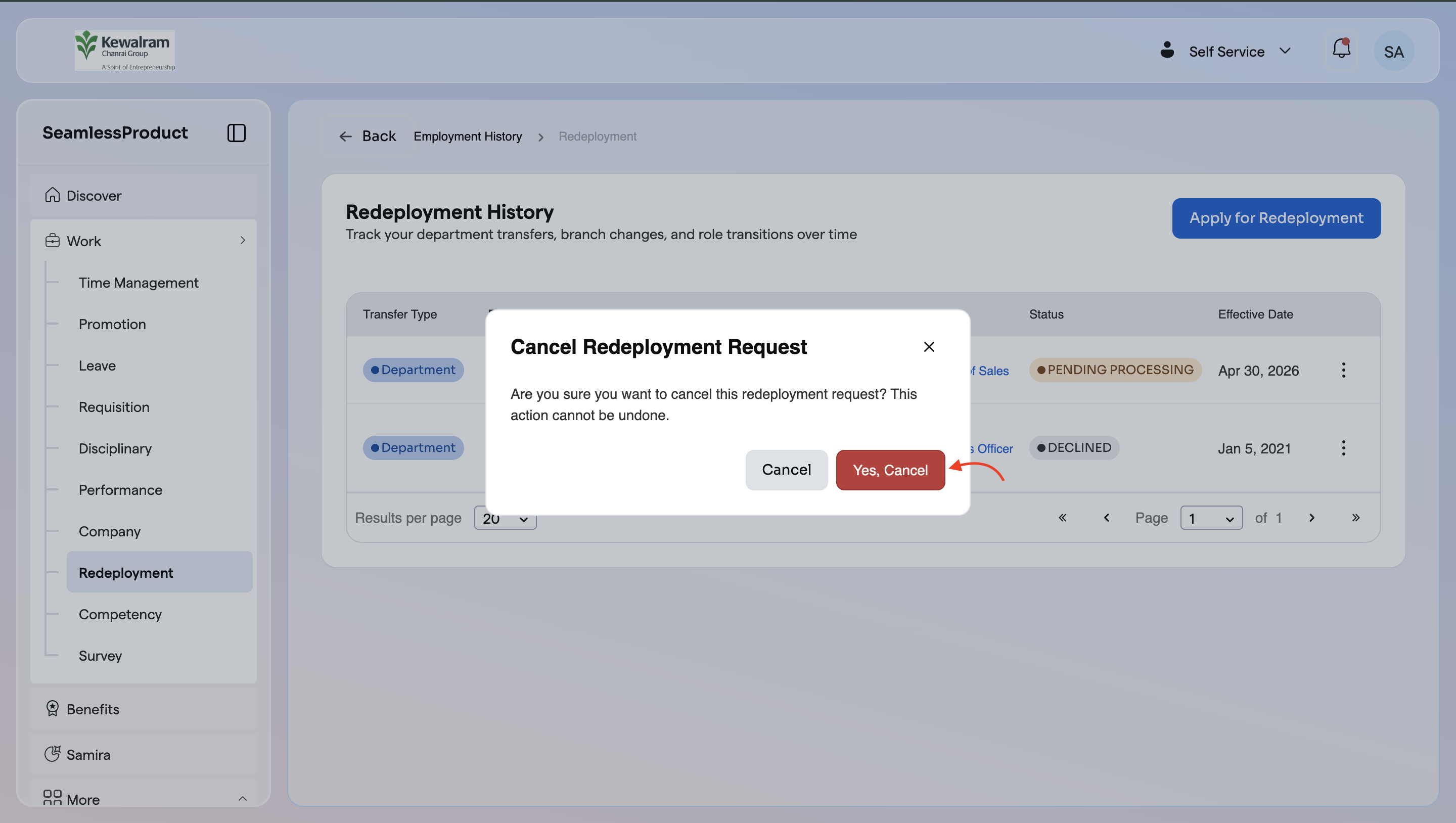
4. Then click on 'Cancel Request'.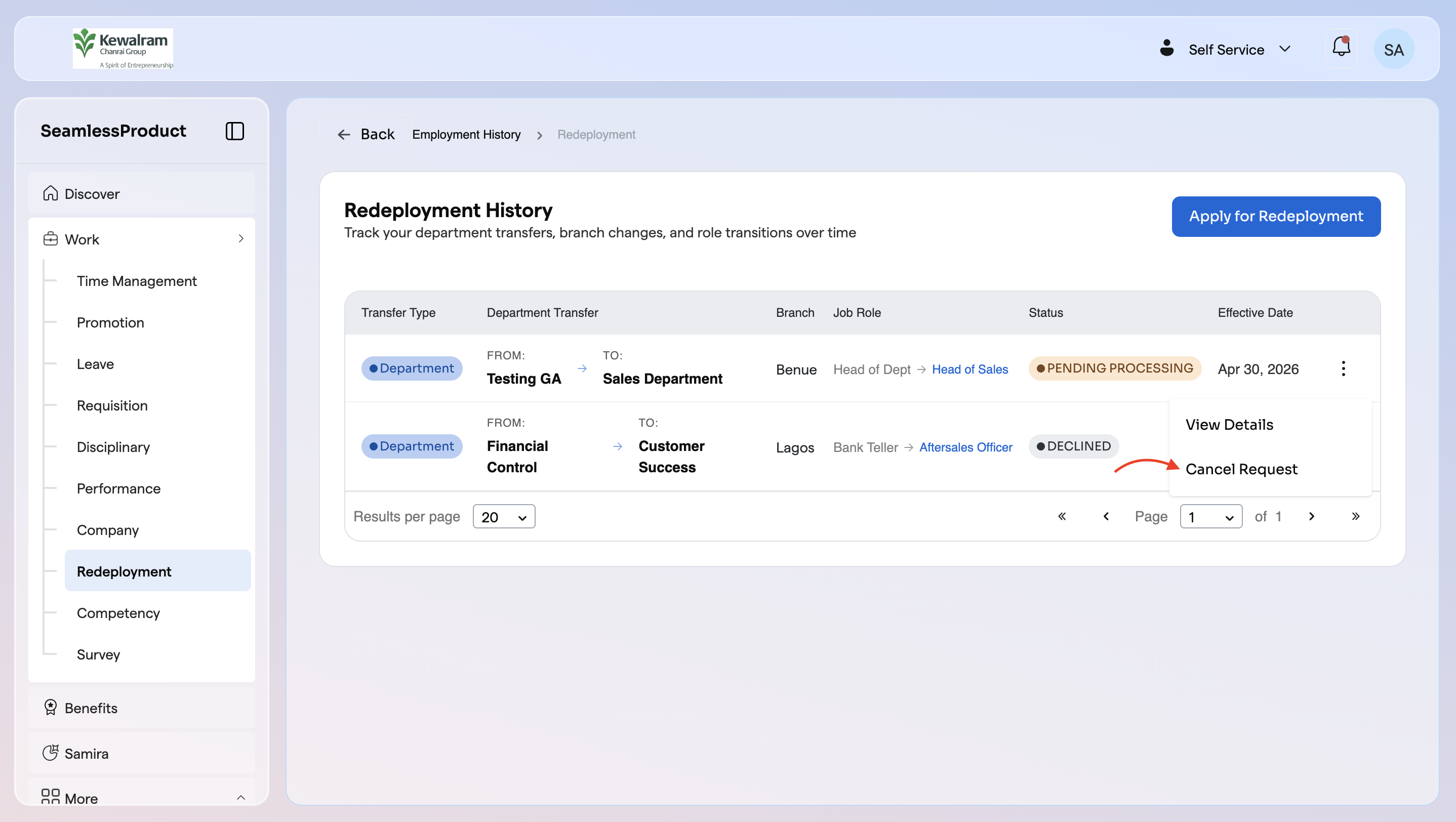
![Logo-1.png]](https://support.seamlesshr.com/hs-fs/hubfs/Logo-1.png?height=25&name=Logo-1.png)
1. From your ESS, click on 'Work' on the left hand panel.
2. Then navigate to and click on 'Redeployment'.
3. Then navigate to the Redeployment request you want to view it's detail and click on the 'three dot'.
4. Then click on 'Cancel Request'.