![Logo-1.png]](https://support.seamlesshr.com/hs-fs/hubfs/Logo-1.png?height=25&name=Logo-1.png)
-
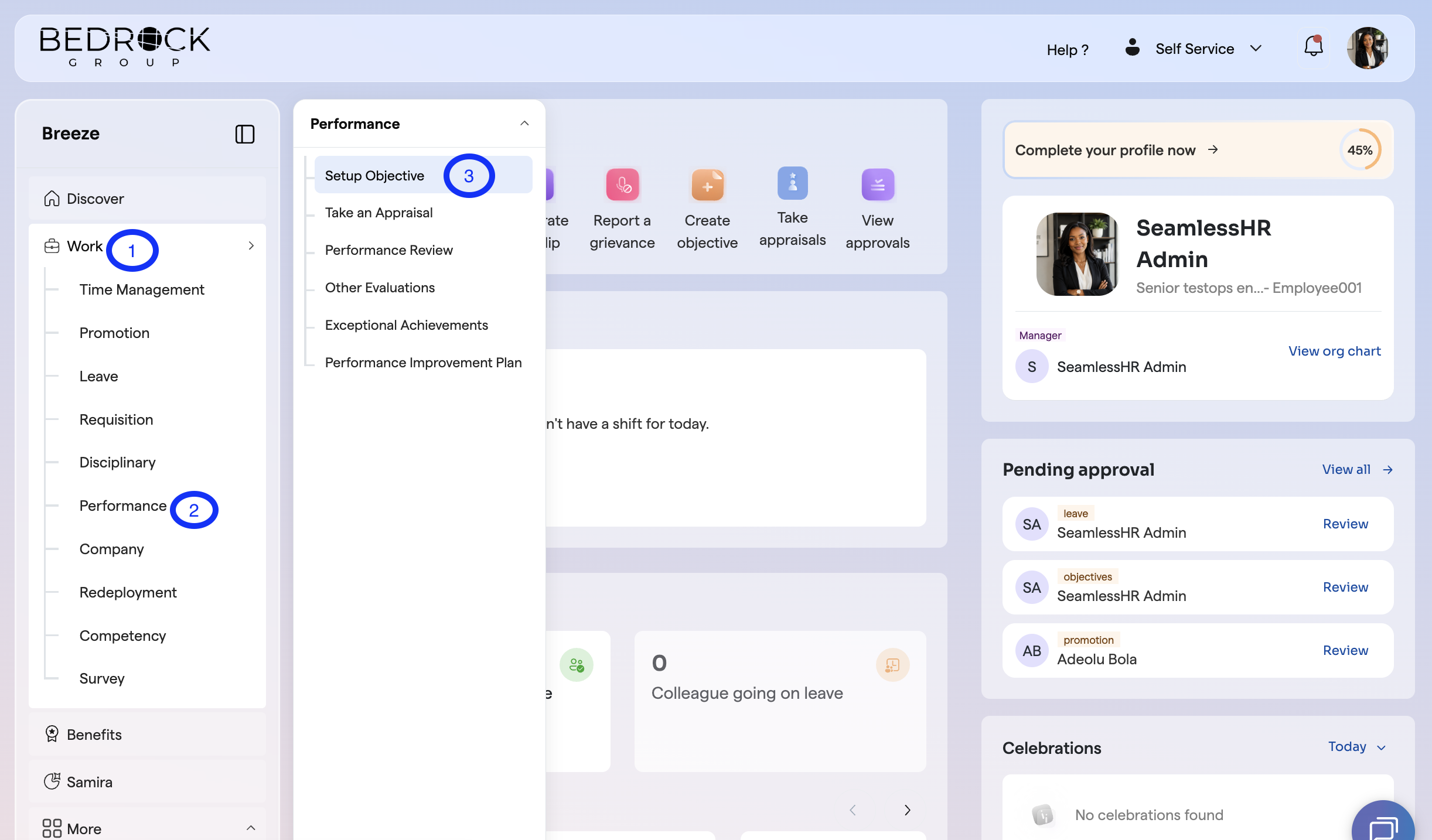
Navigate to the Work Tab
- Click on performance
- Click on Setup Objective
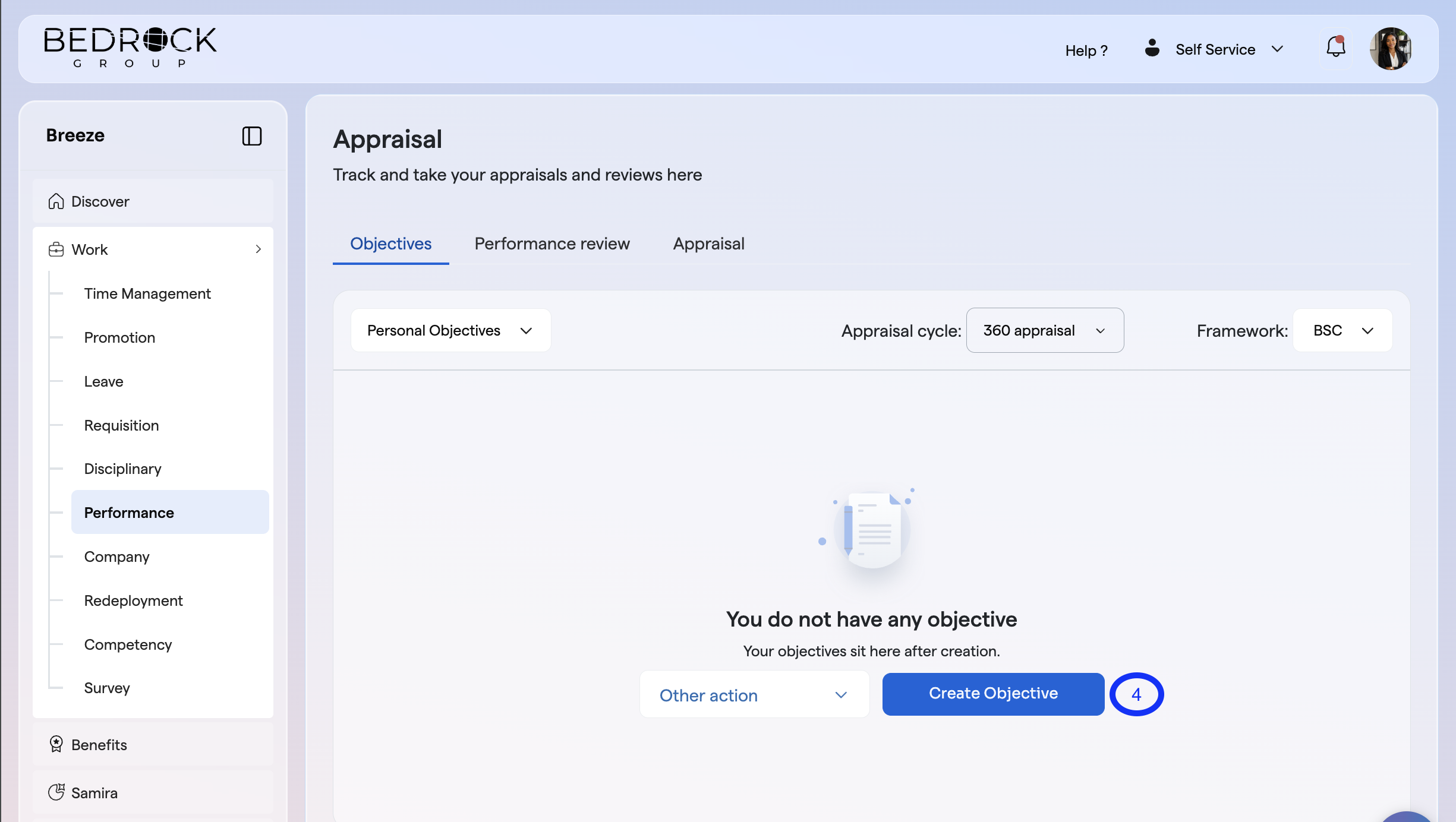
- Click on Create Objective
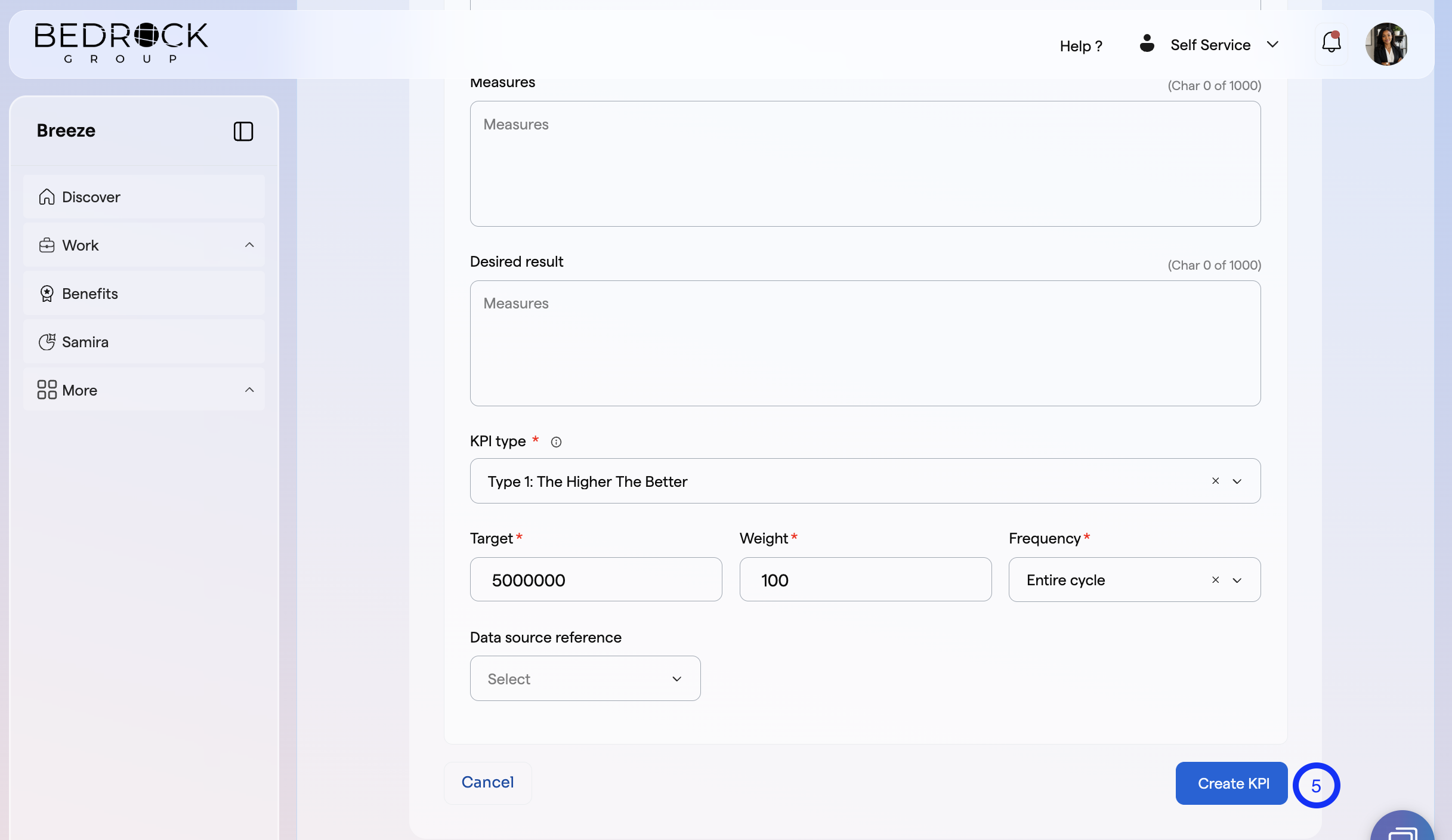
- Input all the neccessary fields and click on create KPI
You will get a success message and when you are done, you can submit for approval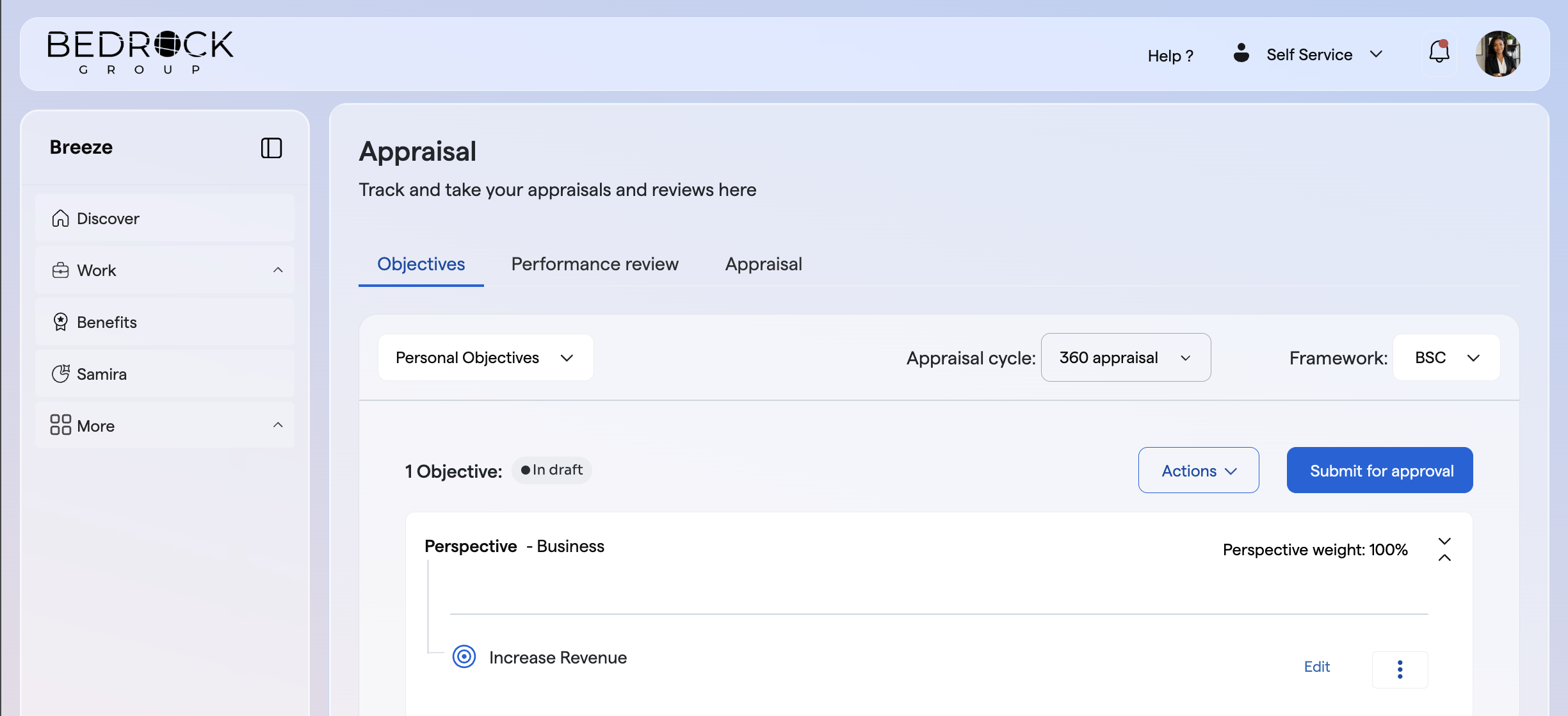
You can also bulk upload and duplicate objectives, by clicking other options.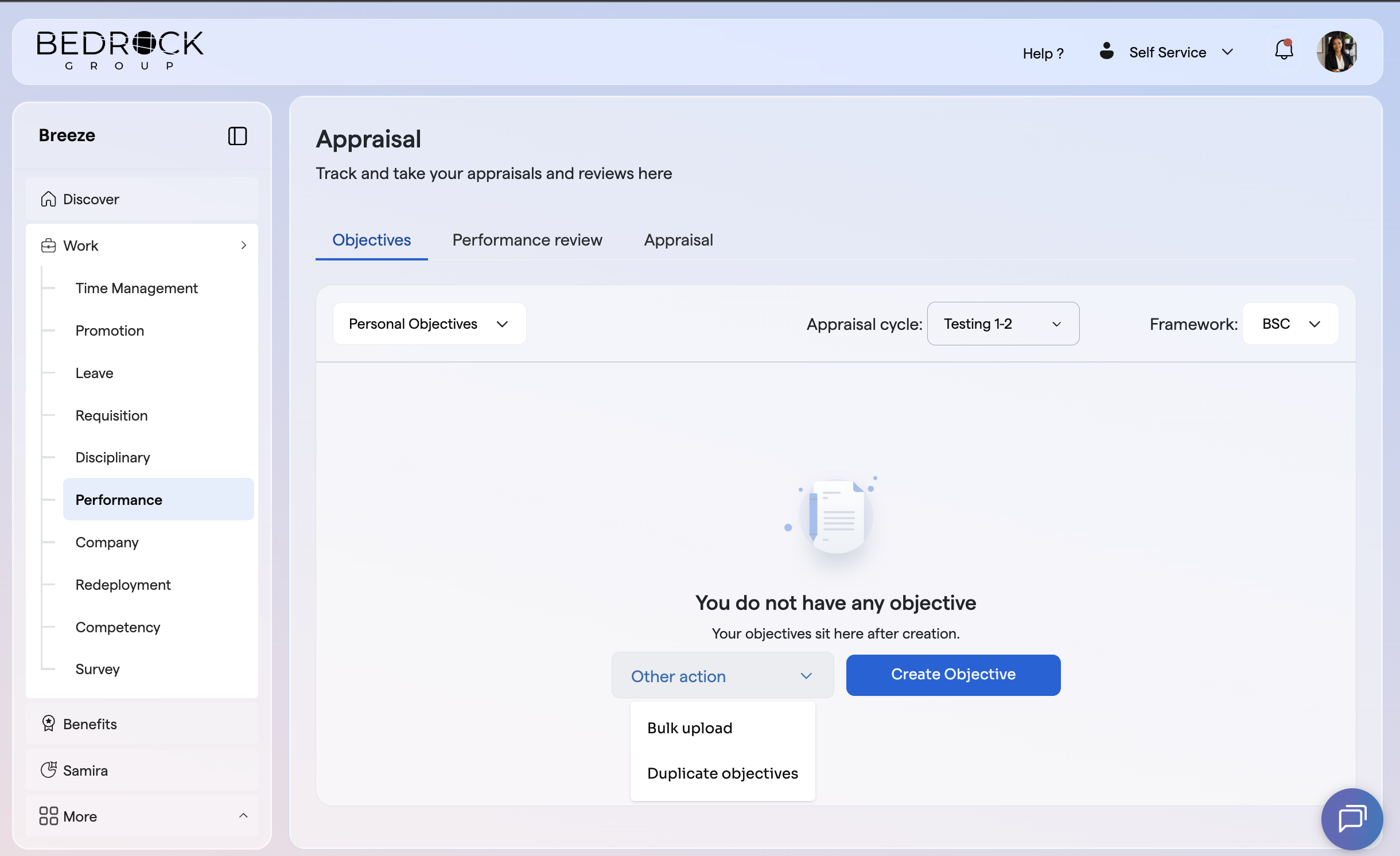
Watch the attached Video Guide for a step-by-step walkthrough.
If you need assistance at any point, you can reach the SeamlessTech Support team through any of the following channels:
live chat, email at support@seamlesshr.com, WhatsApp on 0916 653 6169, or phone on 02013306080.