![Logo-1.png]](https://support.seamlesshr.com/hs-fs/hubfs/Logo-1.png?height=25&name=Logo-1.png)
Employee Settings is where admins control how employee records, documents, contracts and self-service work for their organization. As we added more settings over time, the page could no longer support new features cleanly. We’ve rebuilt Employee Settings with a cleaner, tab-based layout.
All existing settings are still there and work as before. We also made a few improvements along the way:
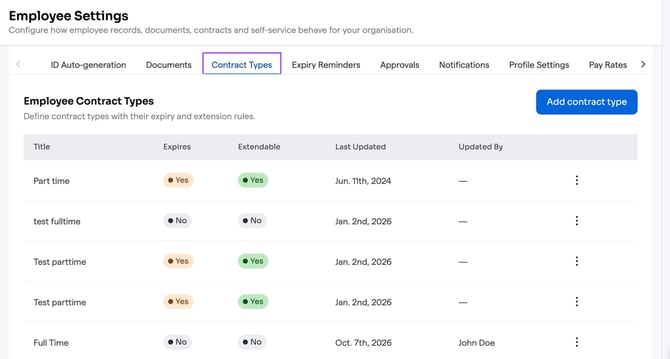
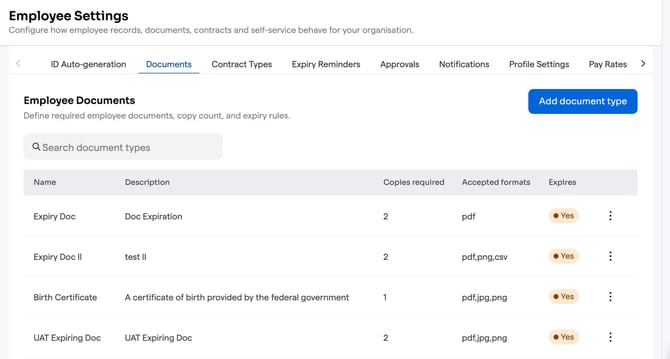
- Lists are now presented in a cleaner and labelled table format that is easily searchable and navigable
- We’ve replaced pop-up modals with side panels, so forms like creating an expiry reminder or a pay rate template now slide in from the right. This keeps the page in view while you work.
- Options such as Employee Contract Types now have audits showing who updated them and the time stamp
- Some fields have tighter validation.
Tabs available in Employee Settings:
- ID Auto-generation
- Documents
- Contract Types
- Expiry Reminders
- Approvals
- Notifications
- Profile Settings
- Pay Rates (new)
- Profile Completeness
- Document Formats
- Dynamic Fields
- Dashboard
Apart from Pay Rates, these are existing settings. Why this matters:
- Easier to navigate: every employee-related setting sits in one place, in clearly labelled tabs.
- Built to grow: new settings can be added without disrupting what clients already use.
A snapshot of the Documents tab on Employee Settings
A snapshot of Employee Contract Types option table showing Last Updated and Updated By