![Logo-1.png]](https://support.seamlesshr.com/hs-fs/hubfs/Logo-1.png?height=25&name=Logo-1.png)
The report provides HR, Finance, and Facility teams with visibility into cafeteria access, making it easier to review usage, reconcile catering vendor invoices, and export records for further analysis.
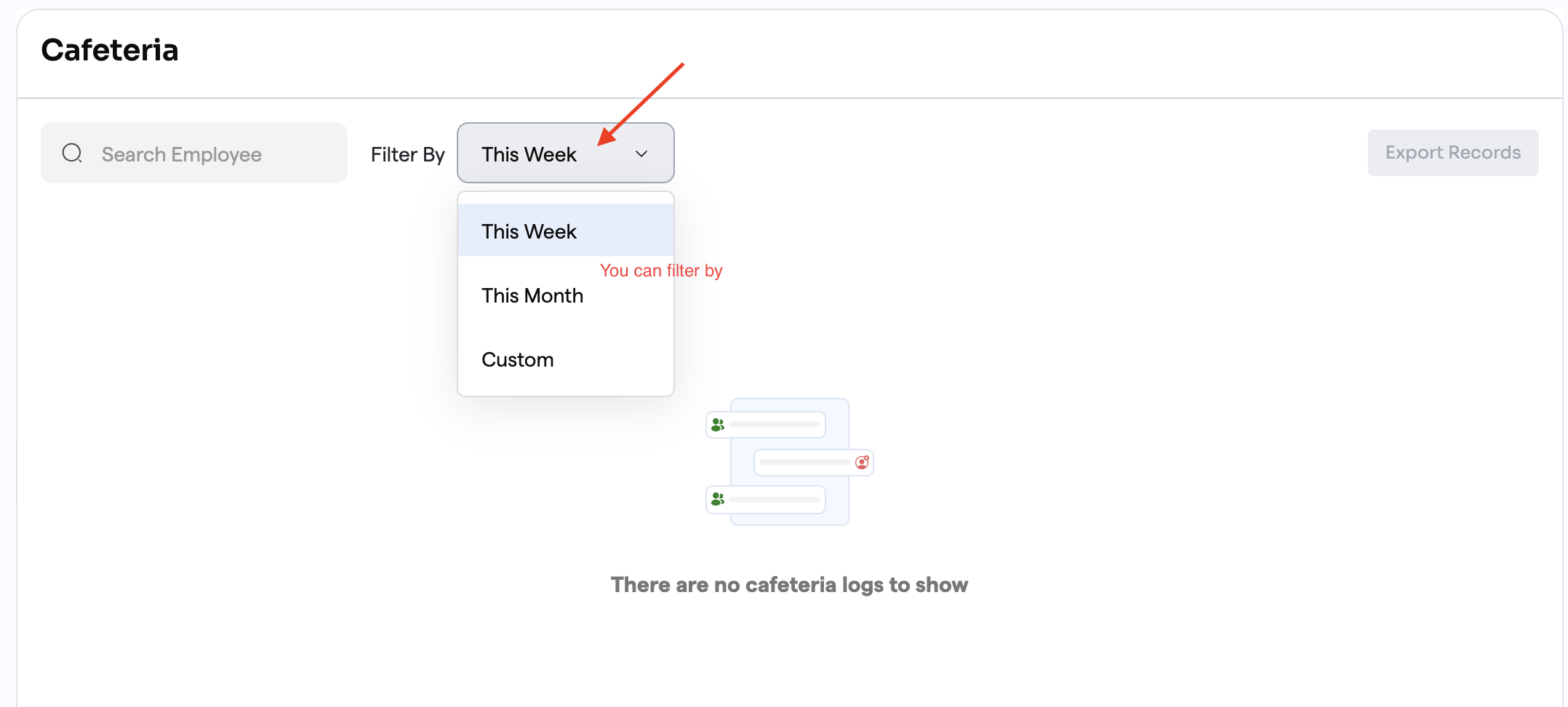
Note: export currently has only one option "DEFAULT" as requested by the client
Business ValueThe Cafeteria Report helps organisations:
Impact Affected Users
Configuration Requirement
To use the Cafeteria Report, the access device must be configured with:Show in Attendance Management = NoOnly records from devices with this configuration will appear in the report.
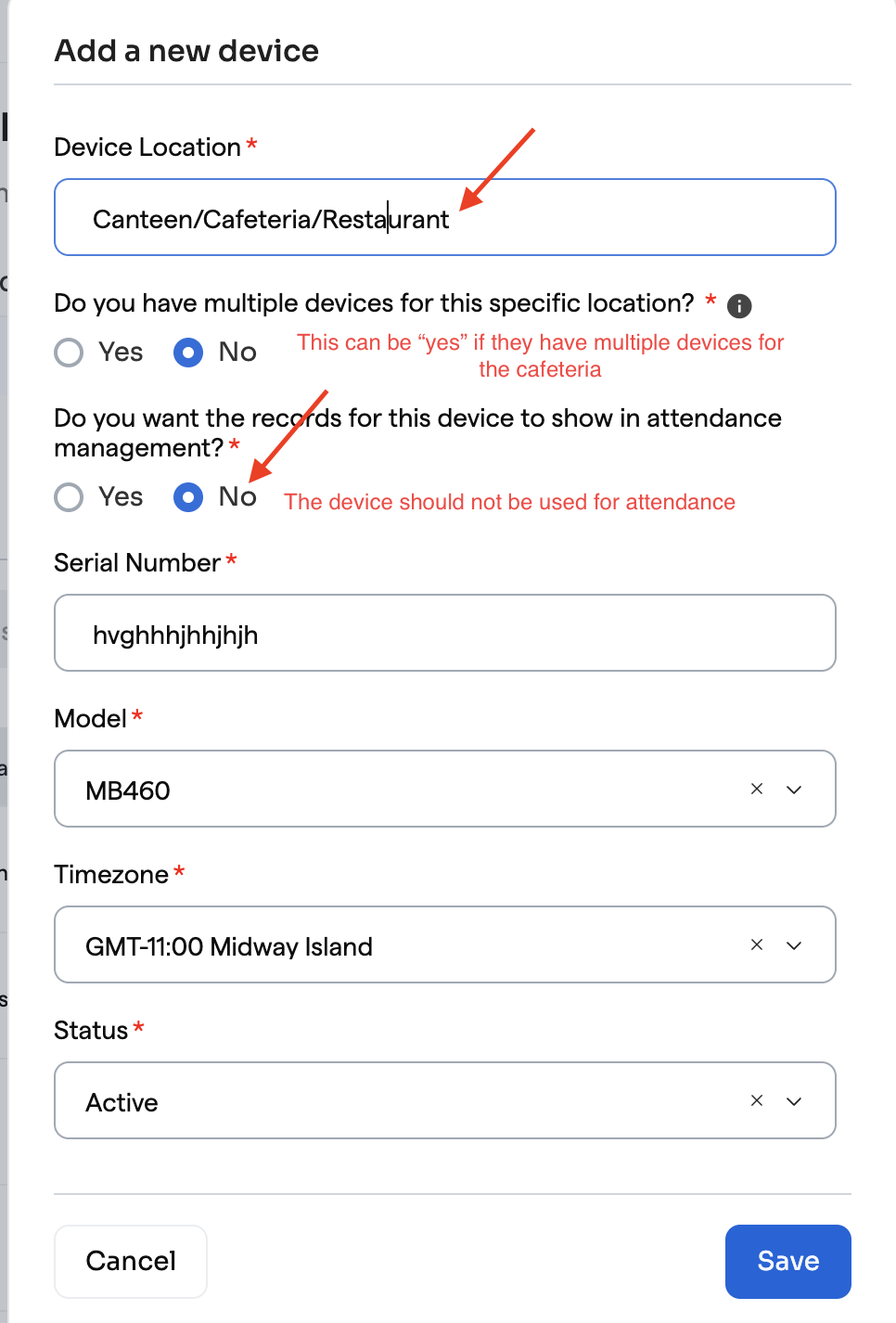
Note: Only records from access control devices configured with "Show in Attendance Management = No" are included in the Cafeteria Report. These records do not contribute to employee attendance.
-1.png?width=670&height=310&name=Image%20(10)-1.png)
What's New
- New Cafeteria Report under Reports.
- View cafeteria access records captured from supported access control devices.
- Search records by Employee Name and Employee ID.
- Filter records by:
- This Week
- This Month
- Custom Date Range
- Export cafeteria records to Excel.
- Export supports applied search and date filters.
- Export is limited to a maximum date range of 6 months.
- Cafeteria records remain separate from employee attendance records.
Note: export currently has only one option "DEFAULT" as requested by the client
Business ValueThe Cafeteria Report helps organisations:
- Monitor cafeteria usage across employees.
- Improve reconciliation of catering vendor invoices.
- Support cafeteria planning and operational reporting.
- Export cafeteria records for compliance and internal review.
Impact Affected Users
- HR Administrators
- Finance Teams
- Facility Managers
- Operations Teams
- Time Management → Reports → Cafeteria Report
Configuration Requirement
To use the Cafeteria Report, the access device must be configured with:Show in Attendance Management = NoOnly records from devices with this configuration will appear in the report.
- Cafeteria records do not create attendance records.
- Cafeteria records do not affect employee clock-in or clock-out records.
- The report is intended for monitoring and reporting purposes only and does not enforce cafeteria access policies