![Logo-1.png]](https://support.seamlesshr.com/hs-fs/hubfs/Logo-1.png?height=25&name=Logo-1.png)
Keeping track of who has admin access, what roles they hold, and what permissions they carry is a key part of managing system governance. Previously, there was no direct way to extract this information in bulk. Admins had to review this manually within the platform.We've introduced the Export Admin List feature in System Control settings. With a single click, admins can generate a spreadsheet of all admins within the respective subsidiary, which is sent directly to their email address.
The spreadsheet includes each admin's employee ID, full name, roles, permissions, departments, status, last login date, and created date.The export is strictly scoped to the subsidiary the admin is currently logged into therefore, it is not possible to generate this list for another subsidiary or from the Holding/Parent company level.How it works:

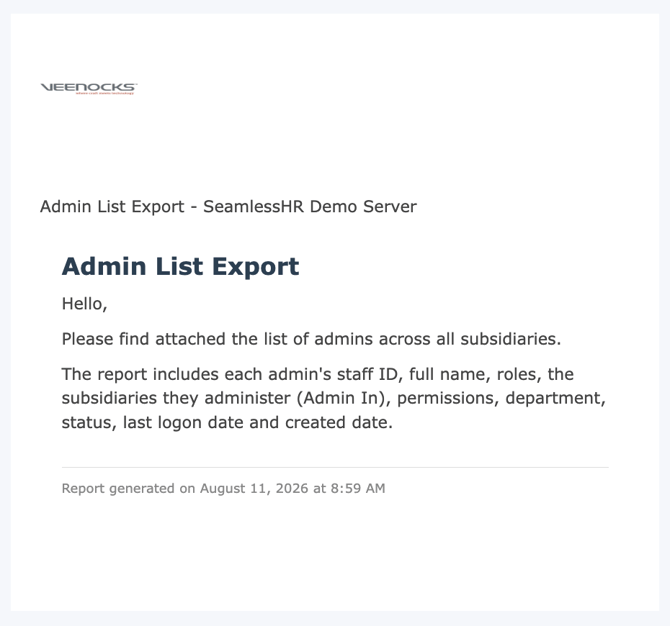 Screenshot showing an email dispatched with the admin list attached
The spreadsheet includes each admin's employee ID, full name, roles, permissions, departments, status, last login date, and created date.The export is strictly scoped to the subsidiary the admin is currently logged into therefore, it is not possible to generate this list for another subsidiary or from the Holding/Parent company level.How it works:
- Admin navigates to System Control settings and clicks the Export Admin List button
- The system generates the spreadsheet and dispatches it to the admin's registered email address
- The spreadsheet contains all admins within that subsidiary with the following columns: Employee ID, Full Name, Roles, Permissions, Departments, Status, Last Login Date, and Created Date
- The export is limited to the subsidiary the admin is logged into — no cross-subsidiary access
- Instant visibility into admin access — no more manually reviewing admin records one by one within the platform
- Supports governance and audits — a clean, exportable record of who has admin access, what they can do, and when they last logged in makes access reviews significantly easier
- Scoped by subsidiary — the restriction ensures admins can only extract data for the subsidiary they have access to, keeping sensitive access information appropriately contained
Screenshot showing the Export Admin List button on Admins page in Systems Control
Screenshot showing an email dispatched with the admin list attached