![Logo-1.png]](https://support.seamlesshr.com/hs-fs/hubfs/Logo-1.png?height=25&name=Logo-1.png)
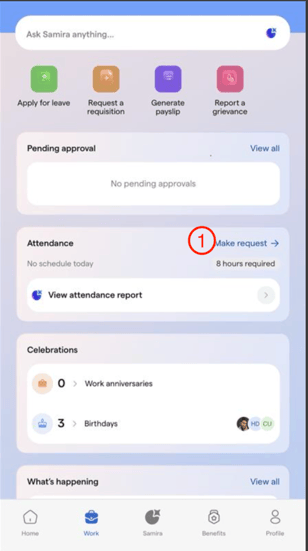
1. Login to the Mobile app, and click on "Make a request" on the home page.
2. Once the page opens, click on Make a request under Upcoming shifts.
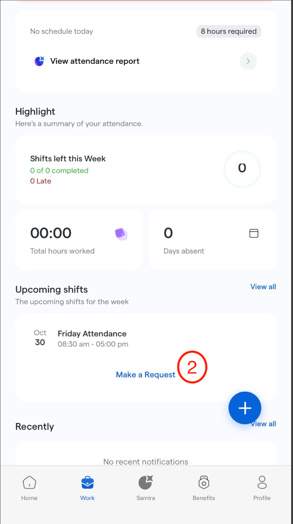
3. Select Lateness request.

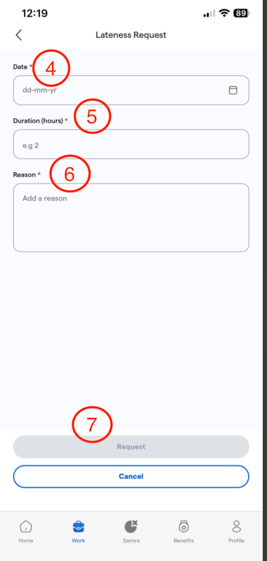
4. Input the preferred date.
5. Input the duration in days.
6. Add the reason for the lateness request.
7. Click on request to complete the process.